Feed Generation per Shop — Languages, Currencies & Countries
Configure which languages and countries your product catalogue feed is generated for, and which currency each market receives.
Available since v2.0.0
Overview
The module generates up to three separate XML feed files per shop: a Main feed, an optional Languages feed, and an optional Countries feed. You choose which languages and countries are active, and the module produces the correct product data — translated names, descriptions, URLs, and prices in the right currency — for each one.
Facebook and Instagram require a single catalogue URL per market. By enabling additional languages and countries here, you avoid managing separate module installations or manually duplicating catalogues. One generation run produces all the files your advertising accounts need.
If your store only sells in one language and one currency, you only need to configure the Main feed. The Languages and Countries feeds are optional and are only generated when at least one language or country is enabled below the defaults.
Configuration
- Go to Modules > Module Manager, find Facebook & Instagram Product Catalogue Feed Pro, and click Configure.
- Click the Feed Generation tab. If you run multiple shops, a separate tab appears for each one.
- Configure the fields described below, then click Save Configuration.
Main Feed Settings
| Field | Values | Description |
|---|---|---|
| Generate this shop? | Enabled / Disabled | Appears only in multi-shop setups. When disabled, this shop is completely skipped during feed generation — no files are written and the shop's feed URLs return empty. |
| Feed Default Language | Any active language | The language used for product names, descriptions, and URLs in the main feed. |
| Feed Default Currency | Any active currency | The currency used for product prices in the main feed. Set this to your primary selling currency. |
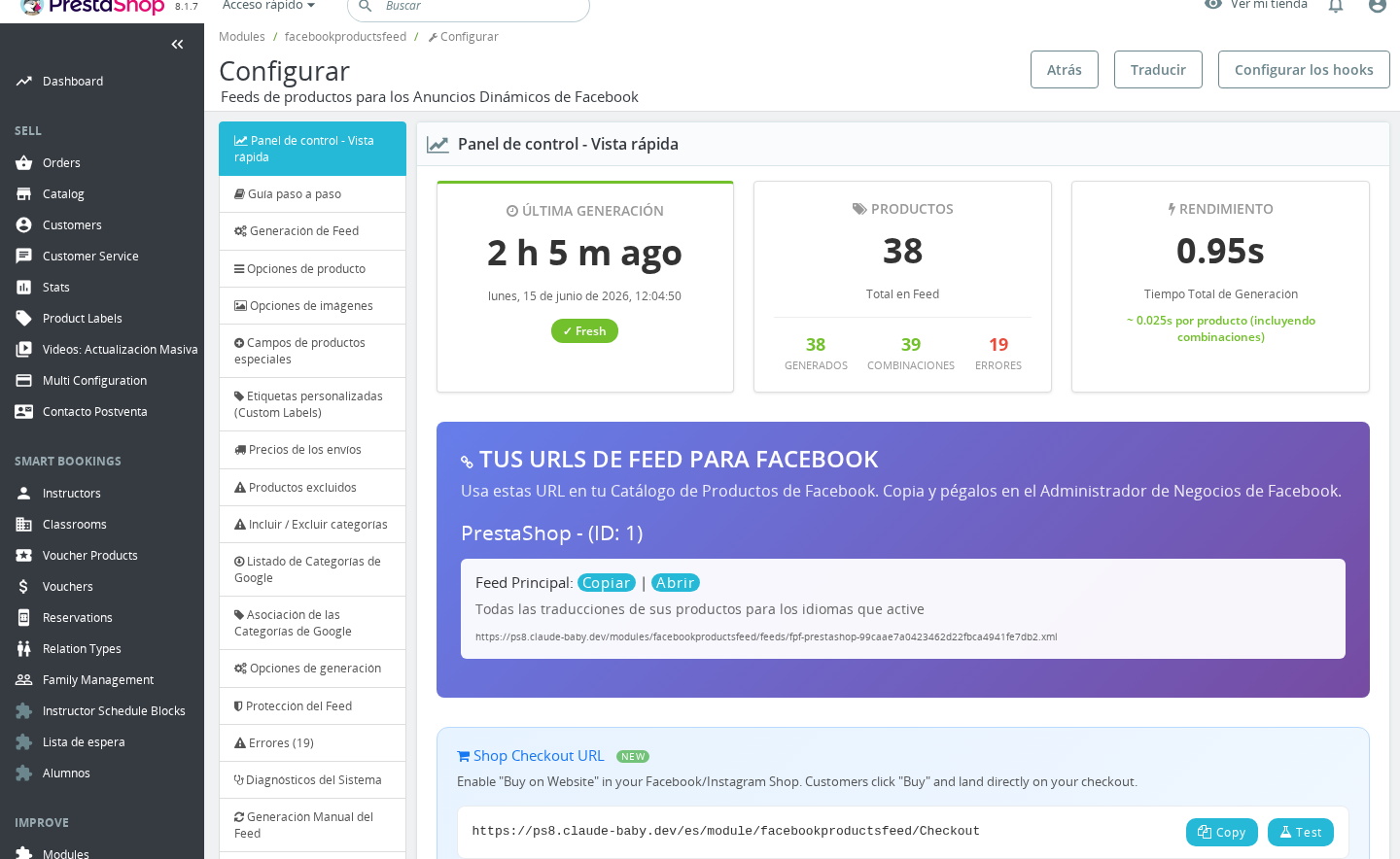
| Default Feed URL | (read-only) | The URL you register in Facebook Ads Manager > Catalogues. Click it to copy it to your clipboard. |
The main feed is always generated as long as the shop is enabled. It uses the default language and currency you choose here, regardless of any additional language or country settings.
Additional Languages
This section appears only when your shop has more than one active language.
| Field | Values | Description |
|---|---|---|
| Generate [Language Name] | Enabled / Disabled | When enabled, that language's product data is included in the Languages feed. You can enable as many languages as you have active. |
| Language Feed URL | (read-only) | The URL for the Languages feed. Use this URL — not the main feed URL — when registering the language-specific catalogue in Facebook. |
Enable a language here only if you have translated product names, descriptions, and URLs in your store for that language. If the translations are missing, the feed will fall back to the default language content.
Languages already selected as the Feed Default Language are automatically excluded from the language feed to prevent duplicate entries.
Currency / Prices Override by Country
This section appears only when your shop has more than one active country.
| Field | Values | Description |
|---|---|---|
| [Country Name] (toggle) | Enabled / Disabled | When enabled, a country-specific section is included in the Countries feed with pricing in the currency you select. |
| Currency | Any active currency | The currency to use for product prices when generating the Countries feed for this country. |
| Associated Language | Any active language | The language used for product names, descriptions, and — critically — the product URLs in this country's feed. Facebook uses the URL to link shoppers directly to the correct product page. |
| Country Feed URL | (read-only) | The URL for the Countries feed. Register this URL in Facebook when you need per-country pricing or currency overrides. |
Facebook Catalogue Integration
| Field | Description |
|---|---|
| Catalogue Number | Your Facebook Product Catalogue ID. Visible only when the Facebook Pixel Plus module is also installed. Find this number in Facebook Ads Manager > Catalogues — it appears below your catalogue name. Paste it here so the two modules can exchange data. |
How It Works
Three Feeds, One Generation Run
Every time the feed is generated — whether manually, via cron, or through the generation URL — the module writes up to three XML files per shop:
- Main feed (
fpf-{shop-name}-{hash}.xml): Always produced. Contains all active products in the default language and currency. - Languages feed (
fpf-{shop-name}-lang-{hash}.xml): Produced only if at least one language is enabled in the Additional Languages section. Contains the same products translated into each enabled language. - Countries feed (
fpf-{shop-name}-country-{hash}.xml): Produced only if at least one country is enabled in the Countries section. Contains pricing recalculated in the country's assigned currency.
All three files share the same product catalogue. Enabling more languages or countries does not duplicate products — it generates additional localised representations of the same items.
How Language and Country Data is Stored
When you save the Feed Generation settings, the module stores the enabled languages as a compact JSON object in a single database record (FPF_{shop_id}_LANGS). Country settings — the enabled flag, currency, and associated language — are stored together in a second JSON record (FPF_{shop_id}_COUNTRIES). This design means feed generation reads only two database rows to know the full language and country matrix, keeping generation fast even with many locales configured.
Multi-Shop Behaviour
Each shop has its own Feed Generation tab with independent settings. The Generate this shop? toggle (visible only in multi-shop mode) lets you exclude a shop entirely from generation without removing its configuration. The default language, currency, and any language or country overrides are all stored per shop and never shared between shops.
URLs and Security
Feed URLs contain an MD5 hash derived from your store's cookie key. This makes them non-guessable without being configurable. If you need to protect the feeds further, use the Feed Protection settings (HTTP Basic Auth) on the Feed Protection tab — these apply to all three feed types.
Usage Examples
Example: French store selling in France, Belgium, and Switzerland
Set the Feed Default Language to French and the Feed Default Currency to EUR. Enable Switzerland in the Countries section and select CHF as its currency with French as the associated language. The main feed covers France and Belgium (both EUR); the countries feed covers Switzerland with CHF prices. Register both feed URLs in your Facebook catalogue settings.
Example: Spanish store with English and German translations
Set the default language to Spanish. Enable English and German in the Additional Languages section. All three languages are included in the feed — Spanish in the main feed, English and German in the languages feed. Register the languages feed URL in Facebook alongside the main feed URL to serve shoppers in each language.
Example: Multi-shop setup with a B2B shop and a B2C shop
In a multi-shop configuration, each shop tab is independent. Enable the Generate this shop? toggle only for the B2C shop. The B2B shop is excluded from all feed generation, preventing wholesale prices from appearing in your Facebook catalogue.
Important Notes
- The Generate this shop? toggle only appears in multi-shop mode. On single-shop installations, generation is always active.
- The Languages feed URL and Countries feed URL are identical for all shops — the module uses the same hashed filenames across shops. If you run multiple shops, their feeds are written to separate files named after the shop slug.
- Country entries only appear in this section if the country is active and associated with the current shop in your PrestaShop back office (International > Locations > Countries).
- Disabling all shops in a multi-shop setup causes generation to abort immediately with no output.
- The Associated Language for a country affects both the product content (names, descriptions) and the product URLs in the countries feed. If you have localised URLs in your store (e.g.
/de/for German), assign the correct language so Facebook links to the right page.
Troubleshooting
| Problem | Solution |
|---|---|
| The Languages or Countries section does not appear | The section is hidden when your shop has only one active language or one active country. Add more languages or countries in International > Translations and International > Locations and then return to this tab. |
| The country feed URL returns an empty file | No countries are enabled yet, or all enabled countries have zero products after category/exclusion filters. Enable at least one country and regenerate. |
| A country's prices appear in the wrong currency | Check the Currency dropdown for that country in the Countries section. Make sure the selected currency is active in International > Localization > Currencies. |
| After saving, a language selection reverts to the previous value | The form preserves the last saved state from the JSON store. If the dropdown appears to reset, clear your browser cache and reload the configuration page. |
| Multi-shop: only one shop's feed is being generated | Verify that Generate this shop? is enabled for all shops you want included. This setting is global — it is not affected by the Back Office shop context selector. |
| The Catalogue Number field is missing | This field appears only when the Facebook Pixel Plus module (facebookconversiontrackingplus) is installed and active. |
Frequently Asked Questions
Do I need to register all three feed URLs in Facebook?
Only register the URLs for feeds you have actually configured. If you have not enabled any additional languages, skip the Language feed URL. If you have not enabled any countries, skip the Country feed URL. Registering an empty or non-existent feed URL in Facebook will cause catalogue errors.
What happens to the feed if I change the default language after the first generation?
The next generation run rebuilds the main feed in the new default language. The old file is replaced. If Facebook has already imported the previous feed, it will update its catalogue on the next scheduled import.
Can I have a different default currency for each language?
Not via the Languages feed — it uses the same default currency as the main feed, translating only the text content. To serve different currencies, use the Countries feed and assign each country its own currency in the Currency dropdown.
How does the Associated Language for a country affect product URLs?
Facebook uses the product URL from the feed to send shoppers to the correct product page. If your store has language-specific URLs (e.g. /fr/ for French, /en/ for English), set the associated language to match so the link in the feed resolves correctly for that country's shoppers.
If I enable the same language in Additional Languages that I already use as the default, will it appear twice?
No. The module automatically excludes the default language from the Languages feed during generation, even if it is toggled on in the Additional Languages section.
Will enabling many countries slow down feed generation?
Each enabled country adds a separate pass over your product catalogue during generation. For large catalogues, consider using the cycle-based generation settings (Generation Options tab) to spread the work across multiple requests, or set up a cron job for unattended generation.
Related Features
- Generation Options — Configure cycle size, timeouts, and max products per run
- Feed Protection — Password-protect your feed URLs with HTTP Basic Auth
- Automatic Generation (Cron Jobs) — Schedule feed generation without manual intervention