Automatic Generation — Cron Jobs
Keep your Facebook and Instagram catalogue fresh without manual intervention by scheduling the feed generator to run automatically on your server.
Available since v1.0.0
Overview
Facebook and Instagram pull your product catalogue on a schedule — anywhere from once an hour to once a day. To make sure Meta always sees your latest prices, stock levels, and product data, you need to regenerate the feed regularly and automatically.
The module provides a dedicated Automatic Generation (Cron Jobs) panel inside the Back Office configuration page. It gives you a ready-to-use generation URL and script path that are pre-filled with your secret key, along with exact commands for three different execution methods. You copy and paste the command that matches your hosting environment into your server's task scheduler, set the frequency, and you are done.
The generation URL is protected by a secret key (FPF_SECRET_KEY). Without the correct key in the request, the generator refuses to run. This means the URL is safe to put directly in a cron command even though it points to a public endpoint.
Finding the Cron Jobs Panel
- Go to Modules > Module Manager and click Configure on Facebook & Instagram Product Catalogue Feed Pro.
- Click the Automatic Generation (Cron Jobs) tab in the module navigation.
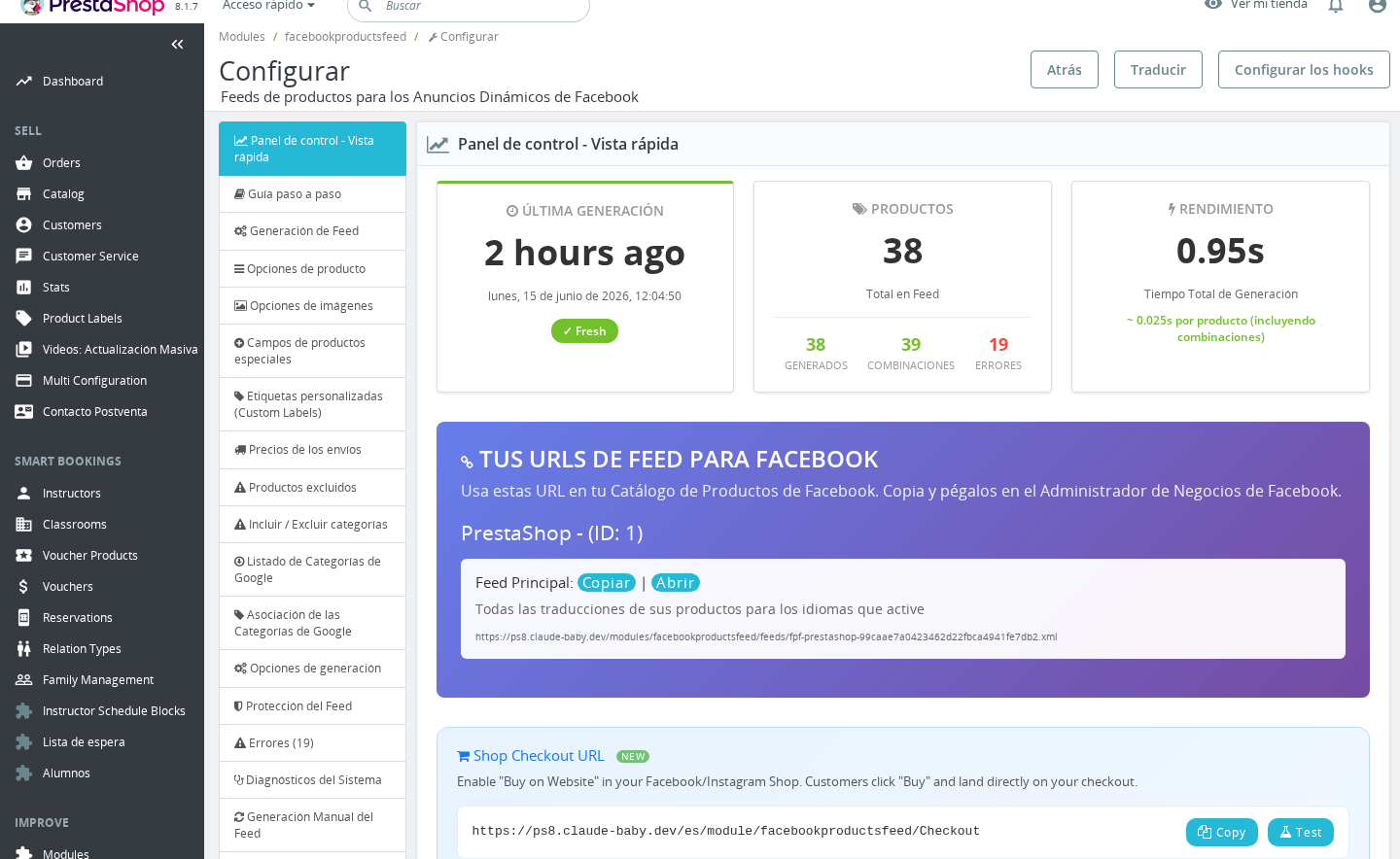
The panel displays:
- The URL — the full HTTPS generation URL with your secret key embedded.
- The Script Path — the server file path to
cron.phpwith the key as a query argument, for use when your control panel asks for a file path rather than a URL. - The Command — ready-to-run shell commands using cURL, wget, and PHP CLI.
All three commands include
>/dev/null 2>&1in the output shown in the panel. Keep this suffix — it discards the generation output so your server does not fill up logs or send email alerts on every run.
Three Methods Compared
cURL (Recommended)
curl -l -k "https://yourstore.com/module/facebookproductsfeed/GenerateFeed?fpf_secret_key=YOURKEY" >/dev/null 2>&1
cURL is the preferred method for most Linux hosting environments. It follows HTTP redirects (-l), skips SSL certificate verification (-k), and exits cleanly after the request. Because cURL makes an HTTP request, the generation runs under the web server's PHP settings — execution time limits apply, but the module attempts to raise them automatically at startup.
If your feed is protected by HTTP Basic Authentication (configured in the Feed Protection tab), the panel automatically prepends -u "username:password" to the command.
Use cURL when:
- Your hosting control panel (cPanel, Plesk, Runcloud, etc.) has a cron command field.
- You are comfortable with standard Linux cron syntax.
- You want the simplest, most compatible option.
wget (Alternative)
wget -O - -q -t 1 "https://yourstore.com/module/facebookproductsfeed/GenerateFeed?fpf_secret_key=YOURKEY" >/dev/null 2>&1
wget works identically to cURL from the module's perspective. Use it if cURL is not installed on your server or if your hosting provider's interface provides a wget-based cron template. The -O - flag directs output to stdout, -q suppresses progress output, and -t 1 limits to one attempt.
PHP CLI
/usr/bin/php -q /var/www/html/modules/facebookproductsfeed/cron.php --fpf_secret_key="YOURKEY"
The panel provides two PHP CLI variants: one using the exact PHP binary path detected on your server (PHP_CLI_PATH), and one using the generic php command for environments where PHP is on the system path.
PHP CLI runs the generator directly as a command-line process, completely outside of web server constraints. There is no HTTP timeout, no max execution time limit set by Apache or Nginx, and no risk of the web server killing the process mid-generation. The generator detects that it is running under CLI and sets variables accordingly.
Use PHP CLI when:
- Your catalogue is very large and web-based generation times out.
- The cURL or wget methods consistently fail to complete the full feed.
- Your hosting gives you SSH or cron command access.
The --fpf_secret_key argument is required — the CLI entry point validates it the same way the HTTP endpoint does.
Frequency Recommendations
Facebook refreshes its copy of your catalogue on its own schedule. Regenerating more often than Facebook polls serves no purpose, but regenerating less often means Meta may show outdated prices or out-of-stock products. The module's panel summarises the recommendations this way:
| Catalogue size / stock behaviour | Recommended frequency |
|---|---|
| Small or medium catalogue (under 8 minutes to generate) | Every hour (0 * * * *) |
| Large catalogue (over 8 minutes) or infrequent stock changes | Every 3 or 6 hours (0 */3 * * * or 0 */6 * * *) |
| Mostly static catalogue — products rarely go out of stock | Once daily (0 0 * * *) |
Bonus tip from the panel: Align the cron minute with your generation time. If your feed takes 5 minutes to generate, schedule the job at minute 50 (50 * * * *). The feed will finish around minute 55, giving Facebook a fresh file when it checks at the top of the hour.
You can check how long your last generation took by looking at the Dashboard tab after a manual generation run.
Combining with Cycle Mode
If your catalogue is large enough that a single request cannot process all products before the server's execution time limit is hit, enable cycle-based generation. With cycle mode active, one cron run processes a batch of products and saves progress, and the next cron run picks up where the previous one left off. The feed stays available in its previous state while a new version is being built up across multiple cycles.
The recommended frequency for cycle mode is every 10–15 minutes, so the full catalogue is completed within a reasonable window across multiple cron fires.
For full details on configuring the batch size and how cycle mode works, see Cycle-based Generation for Large Catalogues.
Multi-Shop Generation
By default, a single cron call generates feeds for all your shops in sequence. If you have several shops and want to stagger their generation — or isolate a particularly large shop — you can target a specific shop by appending &id_shops=SHOPID to the URL, or --id_shops="SHOPID" to the PHP CLI command. The panel shows per-shop commands in a tabbed table when your store has more than one shop configured.
Important Notes
- Secret key rotation: The secret key is derived from your store's
_COOKIE_KEY_. It does not change unless you reinstall the module or clear the stored value manually. If you rotate it, update all your cron commands. - URL format version: Stores upgrading from older module versions may see a notice that the cron URL format has changed (
FPF_NEW_CORN_URL). Follow the in-panel instructions to update any saved commands to the current URL format. - Varnish and other caches: The generation endpoint sends
Cache-Control: no-storeandPragma: no-cacheheaders. If you run a reverse proxy, make sure it passes these headers through and does not cache the generation response. - Output: The generation script outputs progress text. Always redirect output to
/dev/null 2>&1(already included in the panel commands) to avoid email alerts or log bloat on your server. - PrestaShop 1.6 alternative: On PrestaShop 1.6, the panel also shows a section for using the built-in PrestaShop Cron tasks manager module. This is the easiest option but may not always execute reliably — check the module's "last executed" field after the first scheduled time to confirm it is working.
Troubleshooting
| Problem | Solution |
|---|---|
| Feed never updates even though cron runs | Check that the URL in your cron command includes the correct fpf_secret_key. Open the URL in a browser — if you see "You can't access this page", the key is wrong or missing. |
| Cron fires but generation stops part-way through | Switch to the PHP CLI method, which has no HTTP timeout. Alternatively, enable cycle mode and run the cron more frequently (every 10–15 minutes). |
| Server sends email alerts on every cron run | Add >/dev/null 2>&1 at the end of your cron command to discard all output. |
| Generation URL in my old cron command stopped working | The module was updated and the URL format changed. Go to the Automatic Generation (Cron Jobs) tab, copy the new URL shown there, and replace the old one in your cron. |
| PHP CLI command fails with "file not found" | The script path shown in the panel uses your server's actual module directory. Double-check that the path has not changed (e.g., after moving PrestaShop to a different folder). |
| Basic Auth credentials not included in command | The cURL and wget commands shown in the panel automatically include -u "user:pass" when Basic Authentication is configured under the Feed Protection tab. Set credentials there first. |
Frequently Asked Questions
How often should I run the cron job?
For most stores, once an hour is ideal. If your feed takes longer than 8 minutes to generate, run it every 3 or 6 hours instead. Very stable catalogues can use a daily schedule.
Do I need to set up a cron job, or can I generate the feed manually?
A cron job is strongly recommended for any live store. Manual generation works for testing, but if you forget to regenerate, Facebook and Instagram will continue showing outdated products until you do.
Which method should I use — cURL, wget, or PHP CLI?
Start with cURL; it works on almost all standard Linux hosting environments. If generation consistently times out or fails mid-way, switch to PHP CLI, which runs outside web server time limits.
Can the same cron URL be used for multiple shops?
Yes. By default, one URL call generates feeds for all shops. To generate a specific shop only, add &id_shops=SHOPID to the URL. The Automatic Generation panel shows individual per-shop commands in a table when you have more than one shop.
Is the generation URL safe to use in a cron command even though it is publicly accessible?
Yes. The URL only triggers generation when the correct fpf_secret_key is present. Without it the endpoint exits immediately. The key is not shown anywhere on your storefront.
What happens if two cron runs overlap?
The module detects a generation already in progress (via a progress.json file) and refuses to start a second one until 120 seconds after the last activity. This prevents duplicate or corrupted feeds.